PolyData: warped torus surface
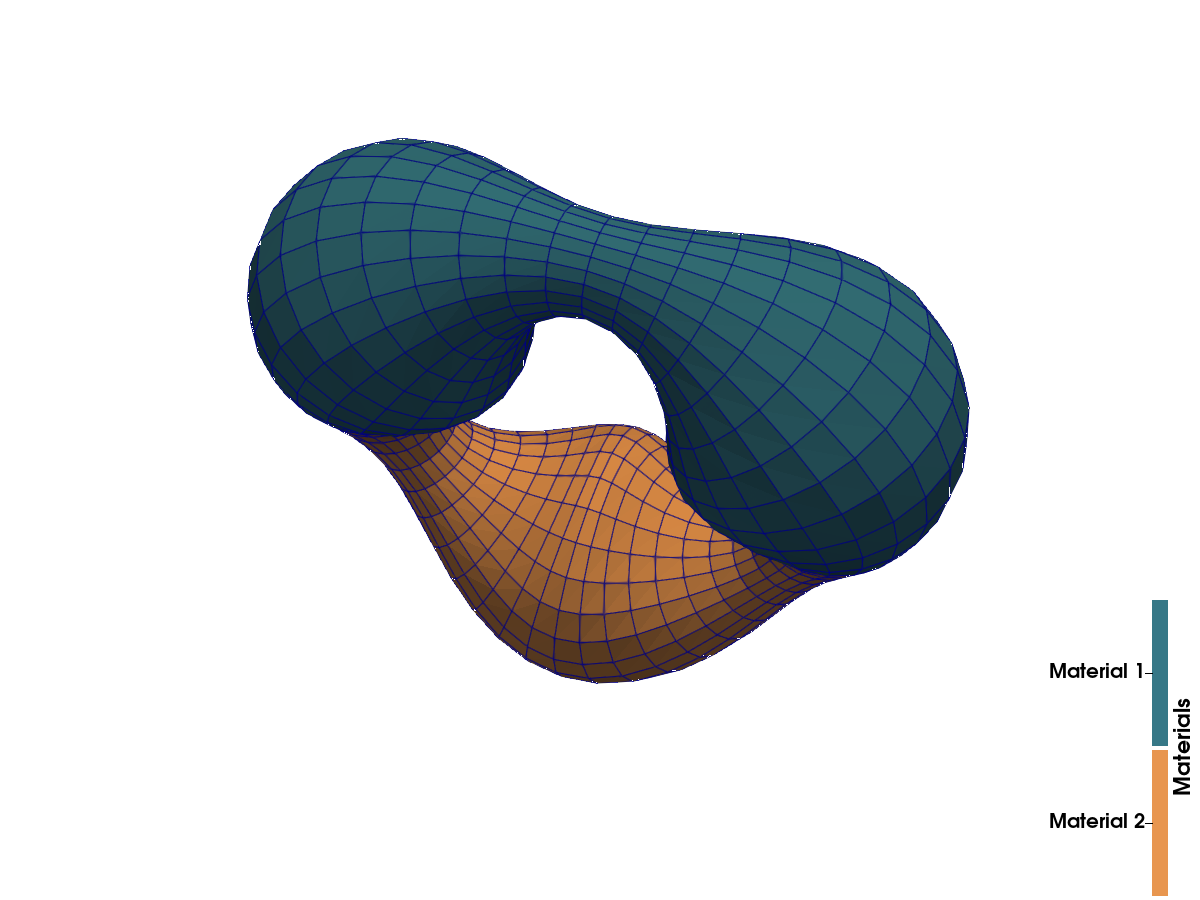
Port of the test_poly_data.vtkhdf example from the VTKHDF specification: a closed polygonal surface with Normals and Warping point vectors and a Materials cell array. PolyData files always store the four cell categories Vertices, Lines, Polygons and Strips, in that order (cell data follows the same order). Only Polygons is populated here.
What you'll learn: how to build polygon connectivity, attach point vectors and cell scalars, and inspect PolyData's cell categories.
The surface warped by Warping and colored by Materials in ParaView:
using VTKHDFnu, nv = 48, 24R, a = 1.0f0, 0.4f0 # major/minor radiuspoints = Matrix{Float32}(undef, 3, nu * nv)normals = similar(points)warping = similar(points)id(iu, iv) = mod(iu, nu) + 1 + nu * mod(iv, nv)for iv in 0:(nv - 1), iu in 0:(nu - 1) u, v = 2π * iu / nu, 2π * iv / nv normal = (cos(v) * cos(u), cos(v) * sin(u), sin(v)) points[:, id(iu, iv)] .= (R * cos(u), R * sin(u), 0) .+ a .* normal normals[:, id(iu, iv)] .= normal warping[:, id(iu, iv)] .= 0.2 * sin(3u) .* normalendOne quad per grid cell, wrapping around in both directions:
quads = vec( [ MeshCell(PolyData.Polys(), [id(iu, iv), id(iu + 1, iv), id(iu + 1, iv + 1), id(iu, iv + 1)]) for iu in 0:(nu - 1), iv in 0:(nv - 1) ])materials = vec([iu < nu ÷ 2 ? 1 : 2 for iu in 0:(nu - 1), iv in 0:(nv - 1)]);vtkhdf_grid("torus", points, quads) do vtk vtk["Normals", VTKPointData(), attribute = :Normals] = normals vtk["Warping", VTKPointData(), attribute = :Vectors] = warping vtk["Materials", VTKCellData()] = materialsendReading it back
PolyData cells come back grouped by category:
r = vtkhdf_open("torus")map(length, read_cells(r))(vertices = 0, lines = 0, polygons = 1152, strips = 0)Data arrays and active-attribute marks round-trip:
r["Materials", VTKCellData()] == materialstrueVTKHDF.active_attributes(r, VTKPointData())Dict{Symbol, String} with 2 entries:
:Normals => "Normals"
:Vectors => "Warping"close(r)